File shelf
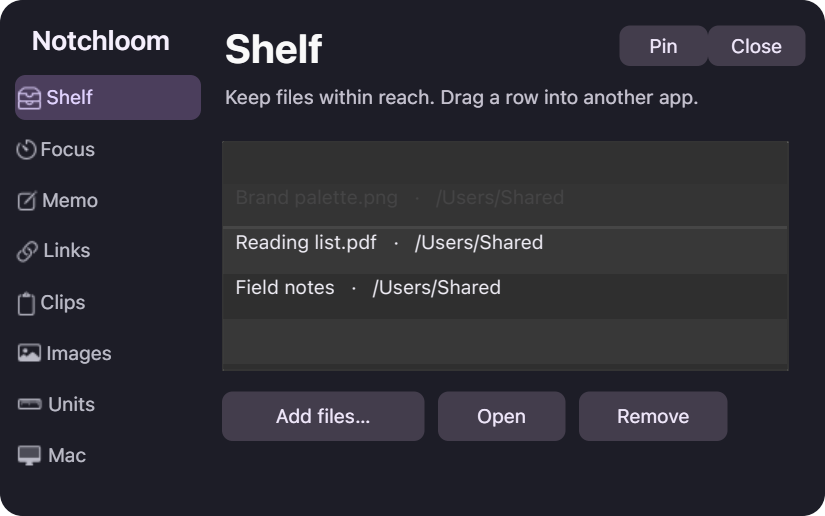
Drop a file or folder onto the notch. Drag it into Mail or another app when you need it. The original stays in place.
 Notchloom
For macOS
Park a file, catch a thought, or start a focus timer. Your tools live at the top of your Mac, one hover away.
One-time payment. Download after purchase.
Inside the app
Pick a tool to see how it works on your Mac.
Drop a file or folder onto the notch. Drag it into Mail or another app when you need it. The original stays in place.
Quick guide
Launch Notchloom, then hover at the top center of your screen. You can also click the Notchloom menu bar icon and choose Open Notchloom. Select Pin to keep the panel open while you work.
Yes. A small tab appears at the top center of the primary display. When a notched display is connected, the app uses that display.
The shelf remembers file locations. Notes, links, saved clips, and timer settings live in your Mac’s Application Support folder. Clips reads text when you choose Save clipboard. If a file moves, add it again from its new location.
After your payment is confirmed, choose Download Mac app. Keep your download receipt for later. Unzip the download and move Notchloom to Applications. The app targets macOS 14 or later on Apple silicon and Intel Macs.
Notchloom for Mac
Pay ₹199 once to unlock the Mac app. You can return with your download receipt anytime.
₹199
One-time payment